
How to Organize Cables and Chargers Neatly for a Tidy Space
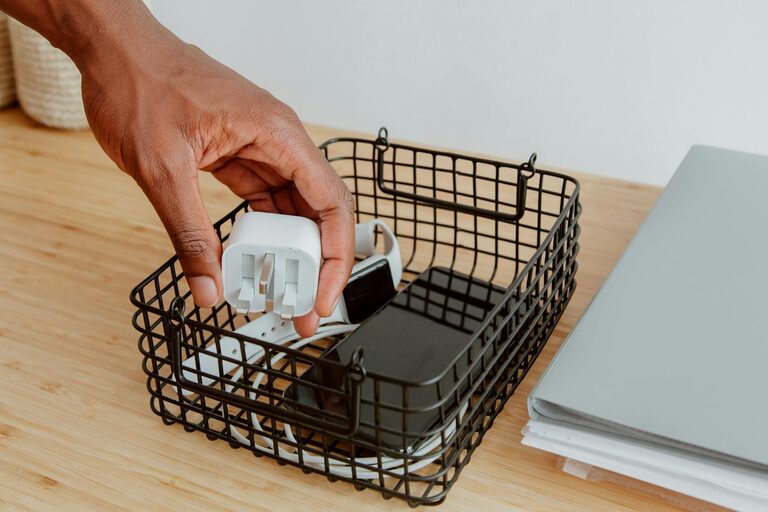
Keeping cables and chargers neatly organized can make a huge difference in your home or workspace. Not only does it reduce clutter, but it also helps prevent damage to your cords and makes finding the right charger or cable quick and stress-free. Whether you have a small collection of essential chargers or a large array of cables for multiple devices, these practical tips will help you create a tidy, efficient system.
Why Organizing Cables and Chargers Matters
Before diving into solutions, it’s worth understanding why cable management is important:
– Safety: Tangled cables can be a tripping hazard and may cause electrical damage.
– Longevity: Proper storage prevents kinks and breaks in wires, extending their life.
– Efficiency: You save time looking for the right cable or charger.
– Aesthetics: A clean space looks more inviting and reduces stress.
With these benefits in mind, let’s explore how to organize your cables neatly.
Step 1: Gather and Sort Your Cables
Start by collecting every charger, cable, and wire in one place. This gives you a clear overview of what you have.
– Sort by type: Group cables by purpose — phone chargers, laptop cables, HDMI cords, USB cables, etc.
– Discard duplicates and broken cables: If you find outdated or broken wires, recycle or dispose of them safely.
– Label if needed: For cables that look similar but serve different devices, labeling helps you identify them later.
Step 2: Choose Suitable Storage Solutions
Organizing your cables effectively requires the right storage. Here are some popular options:
Cable Organizers and Holders
– Cable clips: Small adhesive clips stick to desks or walls, holding cables in place.
– Cable ties and Velcro straps: These keep cables coiled and prevent tangling.
– Cable boxes: These boxes hide power strips and excess cable length for a clean look.
– Drawer organizers: Use dividers in drawers to separate cables and chargers by type.
DIY Storage Ideas
If you prefer budget-friendly or creative solutions, try:
– Mason jars or small containers: Store coiled cables vertically.
– Ice cube trays or muffin tins: Perfect for keeping small cords and adapters separated.
– Toilet paper rolls: Wrap cables inside rolls to keep them from tangling.
– Hanging organizers: Fabric organizers with pockets can hang on a wall or behind a door.
Step 3: Coil Your Cables Properly
How you coil a cable affects its durability and neatness. Follow the “over-under” method for the best result:
- Hold the cable in one hand.
- Make the first loop naturally in one direction.
- For the next loop, twist the cable in the opposite direction.
- Repeat until the cable is fully coiled.
This technique prevents twists and tangles. Secure each coil with a Velcro strap or reusable tie.
Step 4: Label Your Cables
Labeling is key when you have multiple similar cables. It saves you from guessing later.
– Use small adhesive labels or masking tape.
– Write clear, simple descriptions, e.g., “Phone Charger,” “Kindle USB,” or “HDMI 4K.”
– Color-coded labels can help if you prefer visual cues.
Step 5: Create a Charging Station
If you charge several devices daily, consider setting up a dedicated charging station. This keeps chargers plugged in and cables tidy.
Tips for a Charging Station
– Use a cable organizer box with slots for each cord.
– Position it near an outlet to avoid long unsightly cables.
– Add a small tray or basket for devices while charging.
– Keep spare chargers nearby for convenience.
Step 6: Maintain Regularly
Cable organization isn’t a one-time task. Schedule quick checks every few months to:
– Remove cables you no longer use.
– Straighten and re-coil loose cables.
– Adjust labels if devices change.
Regular maintenance keeps your system efficient and clutter-free.
Bonus Tips for Cable Management
– Use wireless charging pads where possible to reduce cable clutter.
– Invest in multi-port charging hubs to minimize the number of chargers.
– Keep backup cables stored separately in labeled containers.
– Avoid overstuffing storage spaces, which can damage cables.
Final Thoughts
Organizing your cables and chargers doesn’t have to be overwhelming. By sorting, coiling, labeling, and storing them thoughtfully, you can enjoy a neat and functional setup. Plus, a clutter-free space often leads to a clearer mind and better productivity. Try these tips today and reclaim your desk or drawer from cable chaos!
—
Feel free to share your own cable organization hacks or questions in the comments below!